
When recording the Selling Agent please keep in mind that Selling Agent refers to the agent that brought the buyer or the tenant's agent.
Click Add/edit at the top of matrix and select the listing you are updating to sold/rented in the Quick Modify Menu
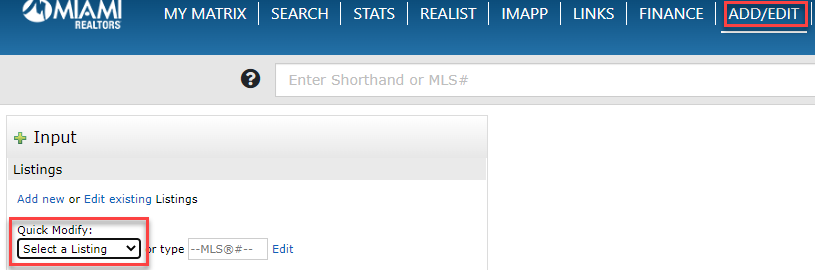
- Select the appropriate status (Change to Sold or Change to Rented) in the select form menu.
Once you input all of the required sold information and if the Selling Agent ID is not working click the "Find a Selling Agent" highlighted below in red
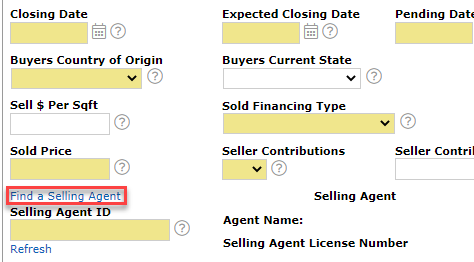
Once you click "Find a Selling Agent" you can search by name and the correct agent ID will appear for this agent. Please note that you may need to search for an agent's ID in this exact manor if they belong to a different association in South Florida such as BeachesMLS.
Enter the selling agent's first and last name and click Run Search located at the bottom.
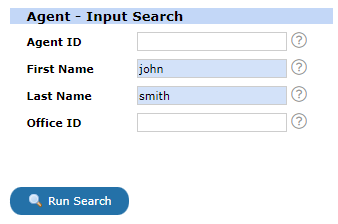
You will see the correct Agent ID for the selling agent along with the agent's office information. Click Fill in order for the agent's information to auto populate. If you receive an error there may be a restriction for the agent and you can contact the MLS department to verify by calling 305-468-7067. If the agent is restricted please use code NMLS04 in section selling agent to update the listing.
Comments
0 comments
Article is closed for comments.