
Step 1
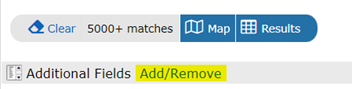
- To add additional fields to your search criteria, scroll down to the bottom of the search page and click on Add/Remove under Additional Fields:
Step 2
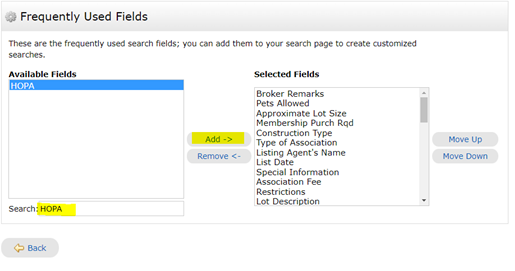
Type ‘HOPA’ in the Search under Available Fields. Click on HOPA so it is selected and click on ‘Add’ In the middle section. Then you will click ‘Back’ at the bottom:
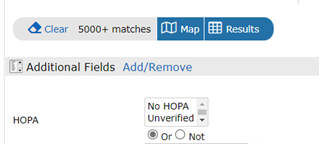
Now under Additional Fields you will see the field added and can select your desired criteria.
Comments
0 comments
Article is closed for comments.