
Troubleshooting Possible Audio & Camera Issues on Zoom
This guide provides step-by-step instructions on troubleshooting audio and camera issues on Zoom. It covers how to unmute audio, start and stop video, and provides additional tips for resolving common problems. If you're experiencing any audio or camera issues during Zoom meetings, this guide will help you troubleshoot and resolve them quickly.
1. The mute/unmute button can be found at the bottom left of most Zoom Meetings.

2. Click on the small arrow to the right of the microphone button. This will allow you to verify you have correctly connected your microphone and/or device speakers. We recomment you select, "Same as System" if you are not using a headset.

3. Click the Start Video button to turn your device camera on/off. Click on the small arrow to the right of the Start Video button to verify you have connected your camera.
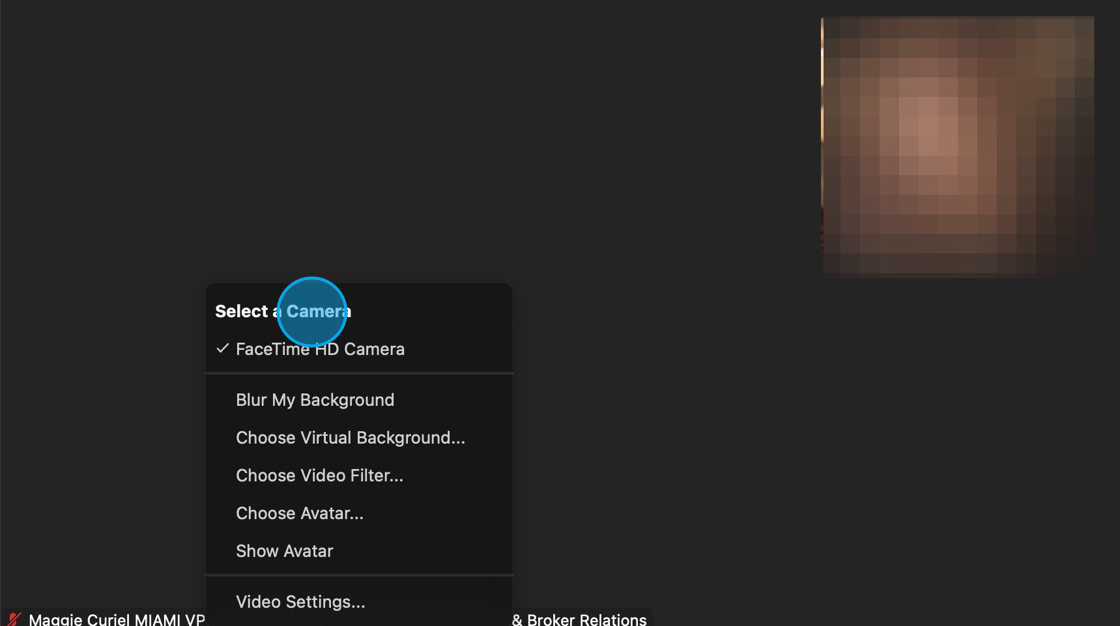
Made with Scribe
Comments
0 comments
Article is closed for comments.